Hi,
This topic does not seem to be related to the forum.
However, I’d be happy to help, although I don’t quite understand what you need.
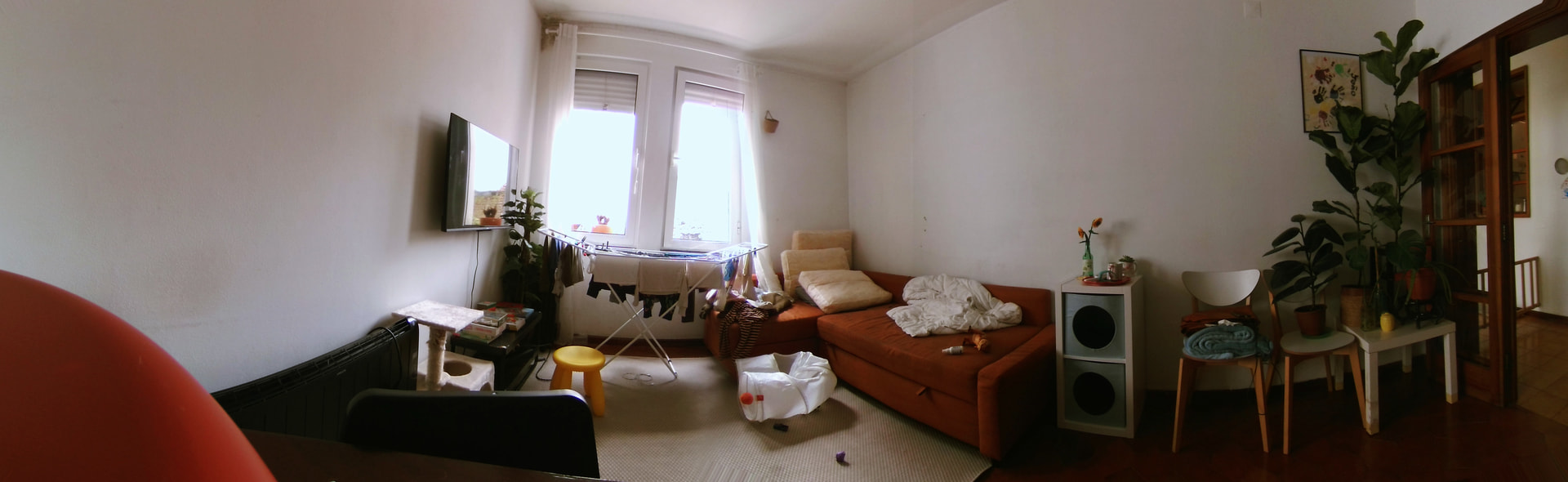
Is this a panorama taken with an iPhone panorama mode? You must have distortion else how can you plot a 180 degrees view in a flat image?
Did you mean that you want this to appear in the software?
It wasn’t made with an iPhone; it’s two cameras with a 140-degree FOV. They were stitched together, but I think the image could be straighter, you know?
Here we can see the VEO panorama, and then their pan mode; notice that they made a correction to the image:
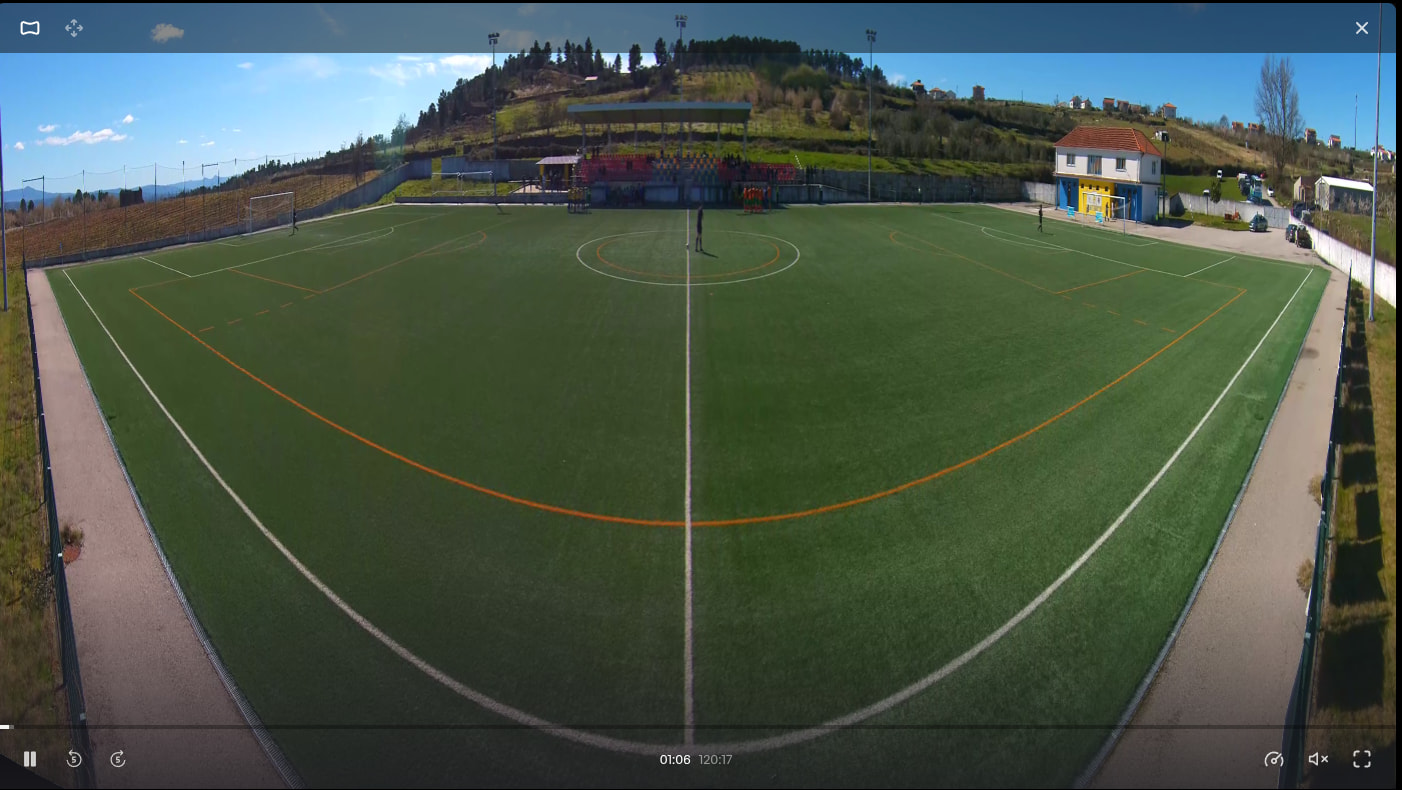
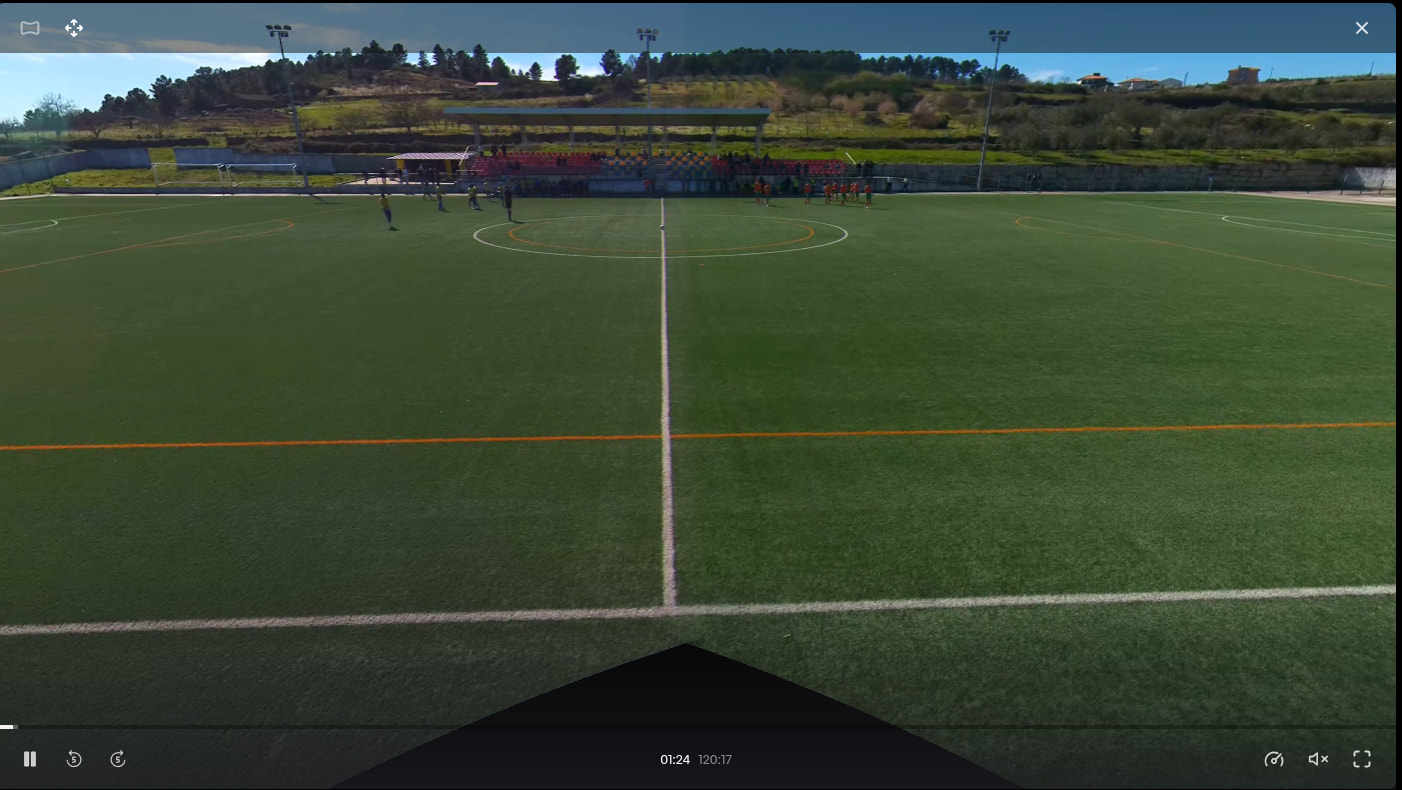
Why don’t you use the software directly to stitch? It will give you the panorama mode (the one where you can move).
If you’re interested in using an already stitched image then you can use look at what was said here Importing an already stitched video
But I don’t recommend that. The software should be able to handle everything, from the two separate raw videos to the final result.
Let me know if it succeeds. If it does not, or if you have any issues, let me know, as I am rewriting things and will soon drop a very big update.
Yes, but the idea is to get it as close as possible to the second photo, and I’m not managing to do it. Everything still looks distorted.
Can you show me a screenshot of what you are getting?
Basically, the first image in the post is distorted, you know? Is the calibration bad?
Which camera are you using? Is it the stitching that is bad, or the distortion?
If you want you can send me a dm and I can help you with that in private.
I’m using two IMX415 USB drivers, but the distortion is really bad.
Which lens profile did you use in the software?
That’s the thing, I don’t know which one to use, because the lens is a generic 140-degree horizontal FOV lens.
I sent you a dm, so we can figure it out