I think my choice of words was not correct. I’ll try to be more careful.
I’ve recorded the match with a dual lens Annke fcd800 that results in an already stitched video. The video consists of ~250MB parts that I combined to a single video using ffmpeg:
I haven’t noticed any degradation by combining all the files.
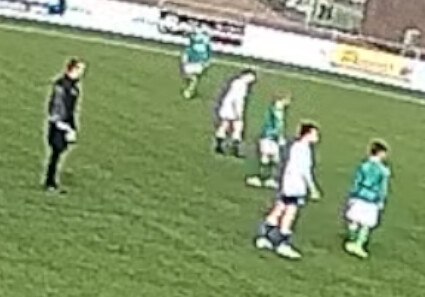
However, the video is not very nice, especially at the corners. I understand that is to be expected. I have a feeling that ‘encoding’ artifacts make it worse than it could be:
When I try to run @Mark_Blakley ‘s panorama code, the video doesn’t load (in ubuntu). The logs show this:
2026-03-07 17:40:02 [INFO] app.services.transcoding: Available GPU encoders: [‘h264_nvenc’]
2026-03-07 17:40:02 [INFO] app.services.transcoding: Testing GPU encoders availability…
2026-03-07 17:40:02 [INFO] app.services.transcoding: Encoder h264_nvenc is available and working
2026-03-07 17:40:03 [INFO] app.services.transcoding: Encoder h264_qsv not available: @ 0x5584bb3c0200] Terminating thread with return code -22 (Invalid argument)
[out#0/null @ 0x5584bb3bfa40] Nothing was written into output file, because at least one of its streams received no packets.
frame= 0 fps=0.0 q=0.0 Lsize= 0KiB time=N/A bitrate=N/A speed=N/A
Conversion failed!
But the software’s goal is to stitch two videos into one.
You can not use the “Create Match” button for an already stitched video. What are you exactly doing in the app, for the error to happen?
Mark’s code shouldn’t start any encoding. The video should directly be viewable. His “window” is not visible and you show do window.location = /panorama in the DevTools. If you want to go into more detail, you can click on my profile then DM me through the Chat feature.
Right, you don’t need any of the stitching or re-encoding - you can just pass the video from the security camera as an argument in the URL in the browser, and it will “dewarp” the video.
I tried sending a DM. After some searching I found a page to start a chat. Clicking the start chat buttton does nothing. I tried running your window.location = /panorama in de console of the DevTools, but it returned an error “invalid regular expression. No idea if that is what you wanted me to do, that is what AI told me based on your input. I have no experience with this stuff.
I don’t need stitching nor re-encoding. That’s why @Mark_Blakley PR was perfect for me. Simply load the video, have the distortion removed, pan, zoom, fast forward/backword a few seconds, pause, play: PERFECT!
Unfortunately, it doesn’t work anymore. I’ve seen it work a few times. But only with a video that was loaded after a fresh start (visiting http://localhost:5174/panorama). ‘load different video’ has never worked. And now it doesn’t work at all. The place where the video should be, stays black and the times of the video stays at 00:00/00:00. This happens both on my windows laptop (which has worked at times) and my linux desktop (where it has never worked).
I don’t see any log statements that might indicate what the problem is.
For your needs, for the moment, I think you’ll find this to be more useful:
It’s not the actionstitch software (that you probably know), but rather a video player for 180 degrees videos. It’s exactly what you need. This should work smoothly and you can also activate the panorama button, to be able to pan and record nicely.
You shouldn’t expect that functionality from reco-project/video-stitcher software for now. It will probably be supported once the AI ball tracking comes out.
Thanks for your help so far. I understand that you’re busy rewriting the core.
In the mean time I had success after doing this to the video:
ffmpeg -i 07032026.mp4 -c:v libx264 -profile:v main -level 4.0 -c:a aac -b:a 128k compatible.mp4